
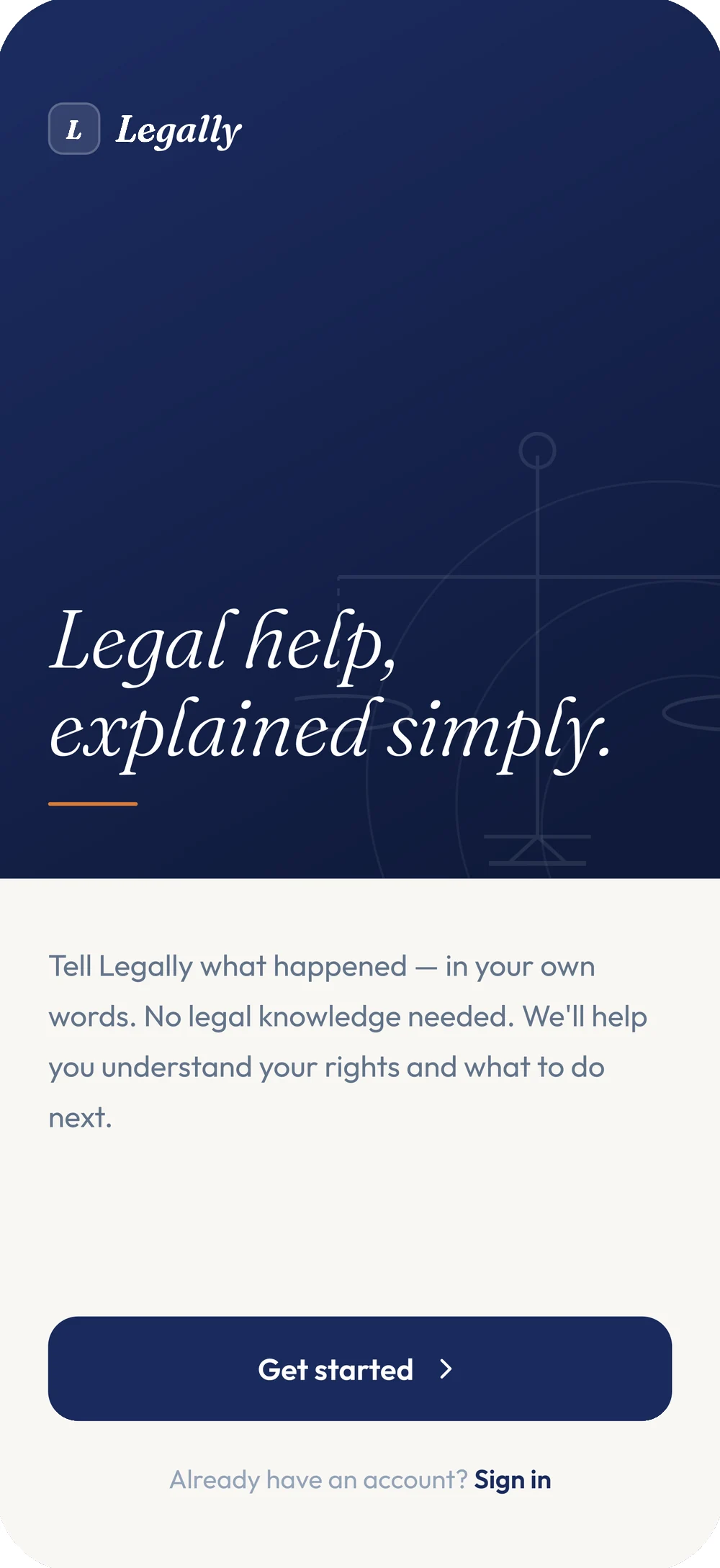
Legal help,
explained simply.
Legally turns “what happened” into a plain-English answer, the actual Nigerian law behind it, and a clear next step — from a guided document to a verified lawyer or free legal aid.
- Discipline
- Product design & build
- Platform
- Mobile application
- Surfaces
- Five, in one app
- Intelligence
- An AI legal assistant, throughout
- Built in
- 28 days
A straight answer, before a single form.
Legally is a legal-help platform built around a single idea: most people don’t need a law degree, they need a straight answer and to know what to do next.
Today that gap gets filled badly. Statutes are written for lawyers, free legal aid is scattered across organisations most people have never heard of, and the first paid consultation often happens before anyone has explained, in plain language, whether it was even necessary.
Legally closes that gap with one conversation that understands a situation, teaches the actual law behind it, helps prepare what’s needed, and knows exactly when to hand off — to a verified lawyer, or to free legal aid, whichever the moment calls for.
The law is public. Understanding it isn’t.
The statutes exist. Tenancy law, employment law, consumer rights — it’s all written down, filed and technically available to anyone who wants to read it.
But almost none of it is written for the person living through it. So a tenant facing eviction, an employee who hasn’t been paid, or someone owed money has to translate the law themselves, hunt for whichever organisation offers free help, or pay for a consultation just to find out whether they need one.
Law is written for lawyers
Statutes and notices arrive in language most people never learn to read, at the exact moment they need to act on it.
Free help is hard to find
Legal aid and pro-bono support exist, but knowing which organisation covers which problem is its own research project.
A lawyer is the last resort, not the first call
Most questions don’t need a retainer, but nothing says so until someone has already paid for a consultation to find out.
Every situation starts from zero
A tenant, an employee and someone owed money all explain themselves from scratch to whoever they eventually reach.
The paperwork is the hardest part
Writing a demand letter or reading a contract is exactly where legal training would help most — and exactly where most people have none.
Nothing keeps a case together
A dispute plays out over weeks, across calls, papers and messages, with no single place holding it all.
One conversation. Five stages to resolution.
If the first, hardest step — describing what happened, in plain language — were met with real reasoning instead of a search box, most people would already know more than they do now.
The opportunity was never a legal encyclopedia. It was one conversation that understands a situation, teaches what the law actually says, keeps the case organised, helps prepare what’s needed, and knows when to hand off to a real professional — free or paid.
Understand
Describe what happened once, in your own words, and watch the reasoning that follows it.
Learn
A plain-English answer, and the actual law it came from, kept visibly apart.
Organize
Matters, documents and conversations, filed together and kept private by default.
Prepare
Guided drafting for the letters and documents a dispute actually needs.
Act
A matched, verified lawyer — or free legal aid, when cost is the barrier.
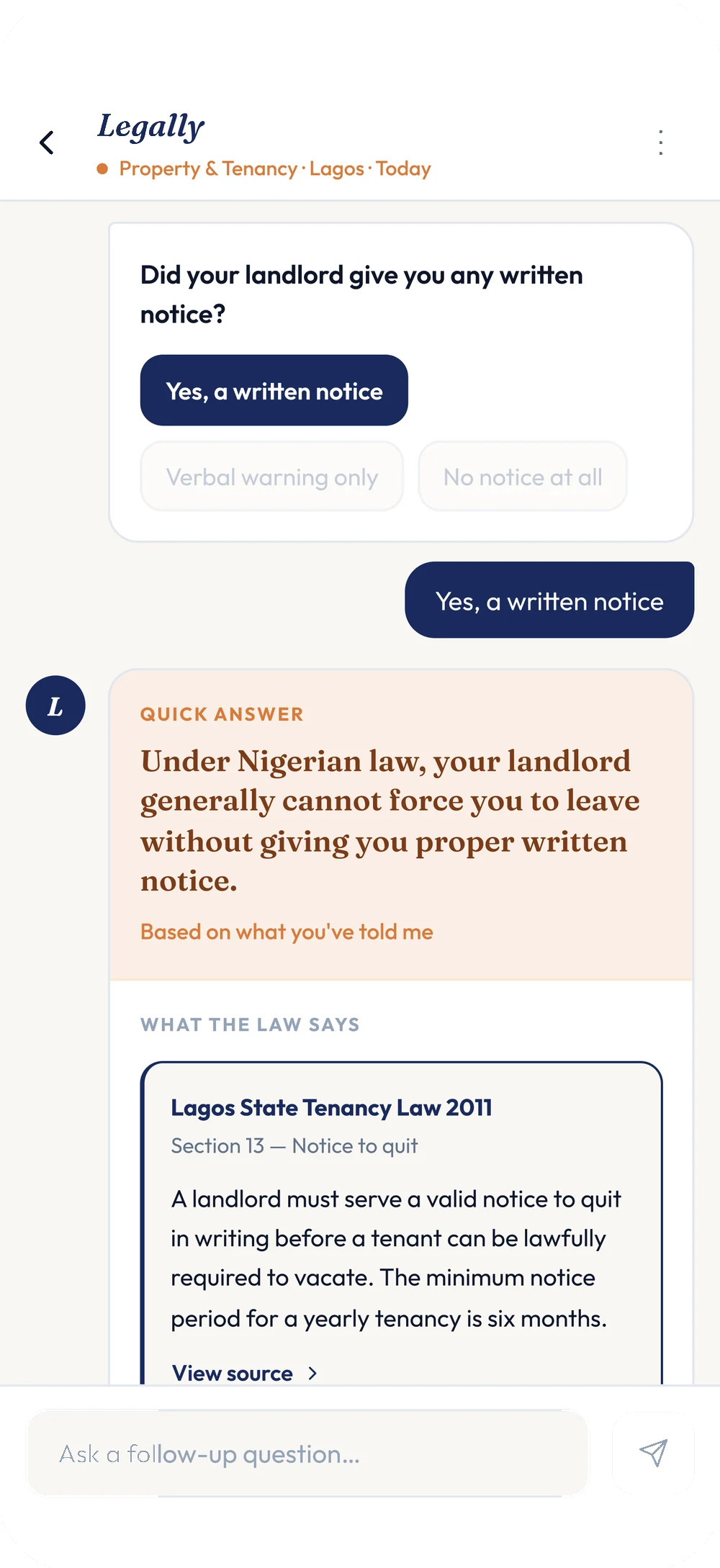
Quick Answer and What The Law Says are never the same paragraph.
Most legal-help products either paraphrase the law or hand over the raw statute. Legally does both, in that order, and keeps them visibly apart — a plain-English read first, then the actual provision it came from.
Every citation names the law and the section, and links back to the source. Nothing here asks to be trusted on faith; it shows its working.
Explains
A plain-English read, first — never left as the only answer.
Cites
The law, the section, and a link to the source, every time.
Defers
A "Have a lawyer review this" button on anything AI drafted.
Three short steps. Each one changes what comes next.
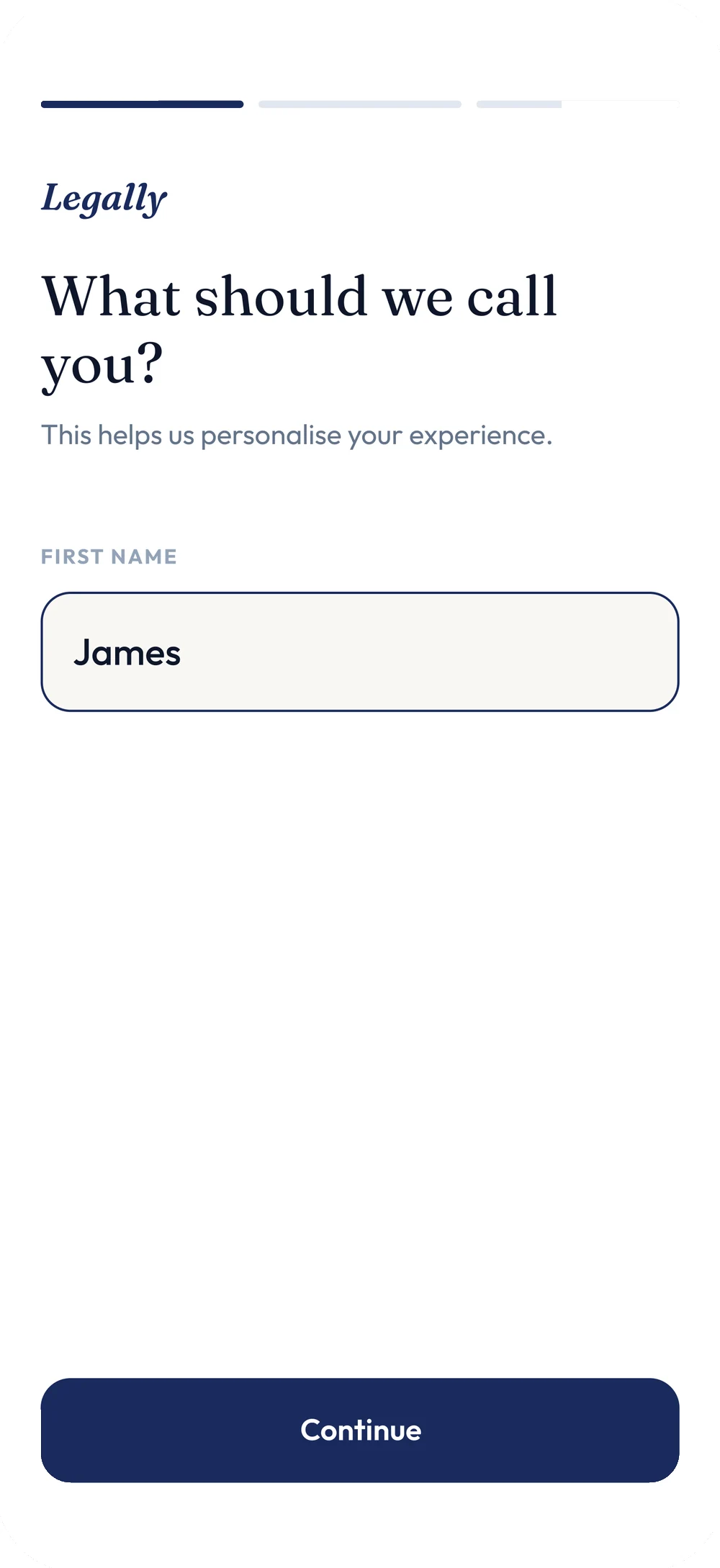
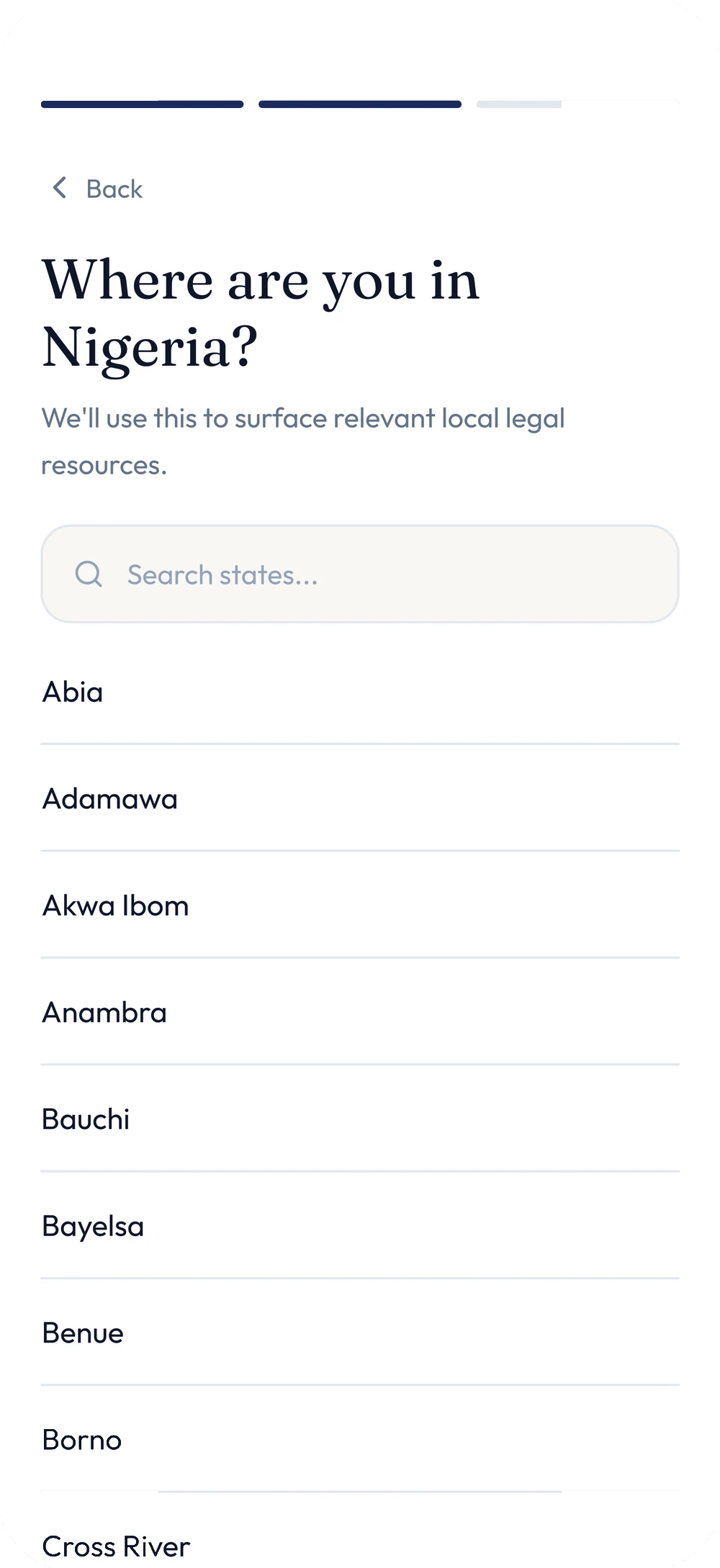
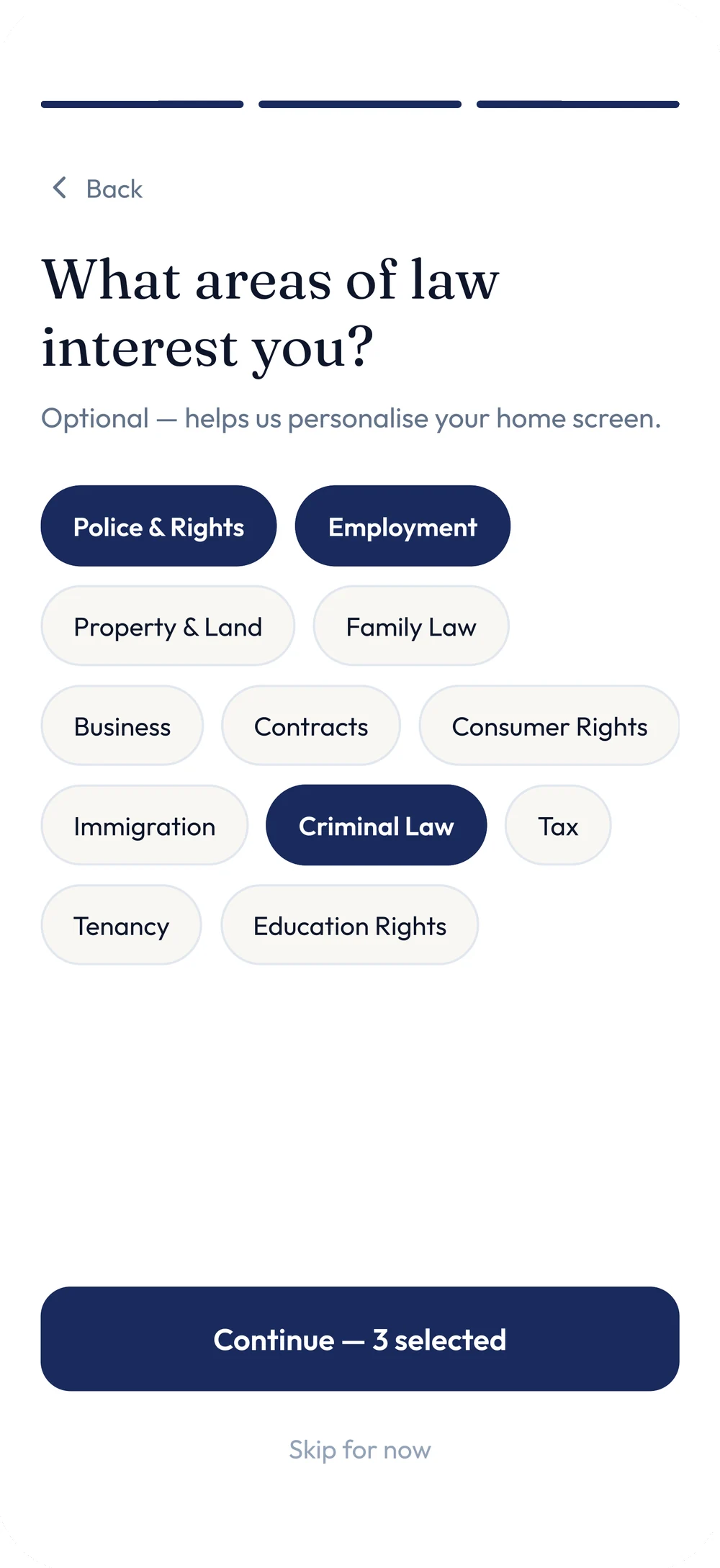
Legally asks for a first name, then a state, then — optionally — which areas of law matter most. Nothing here is friction for its own sake: the state decides which statutes get cited later, and the areas of interest shape what the home screen leads with.
The third step says so directly. It’s marked optional, and "Skip for now" sits right beneath the chips — a rare admission, from an onboarding flow, that not every question deserves an answer before someone gets to use the product.
The reasoning, shown while it happens.
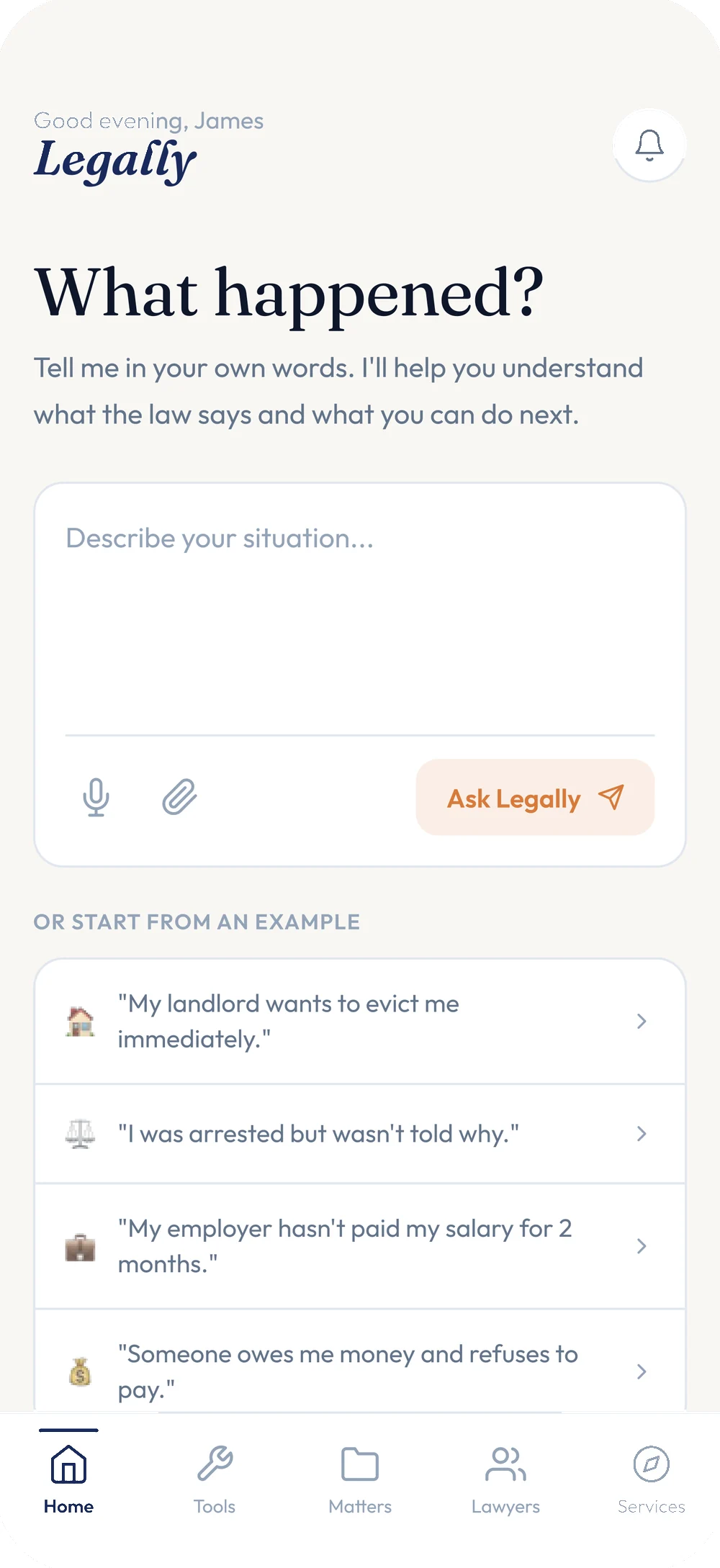
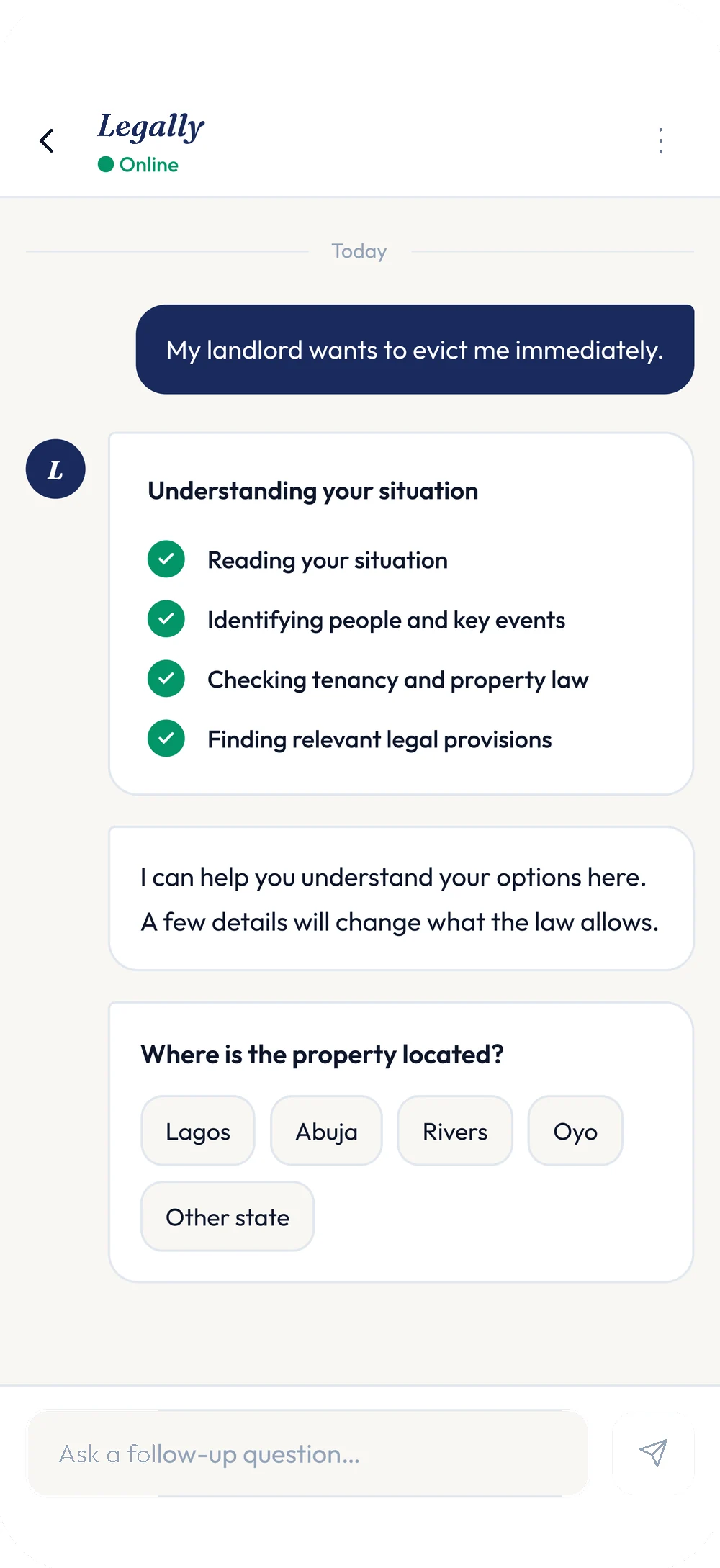
A user’s own sentence — "My landlord wants to evict me immediately" — becomes the start of the conversation, not a support ticket. Underneath it, Legally shows its reasoning as a checklist: reading the situation, identifying the people and events in it, checking the relevant law, finding the provisions that apply.
Only then does it ask anything back, and it asks one thing: where the property is. Not a form’s worth of questions — the one detail that changes which law applies.
Understand a document, or create one — same starting point.
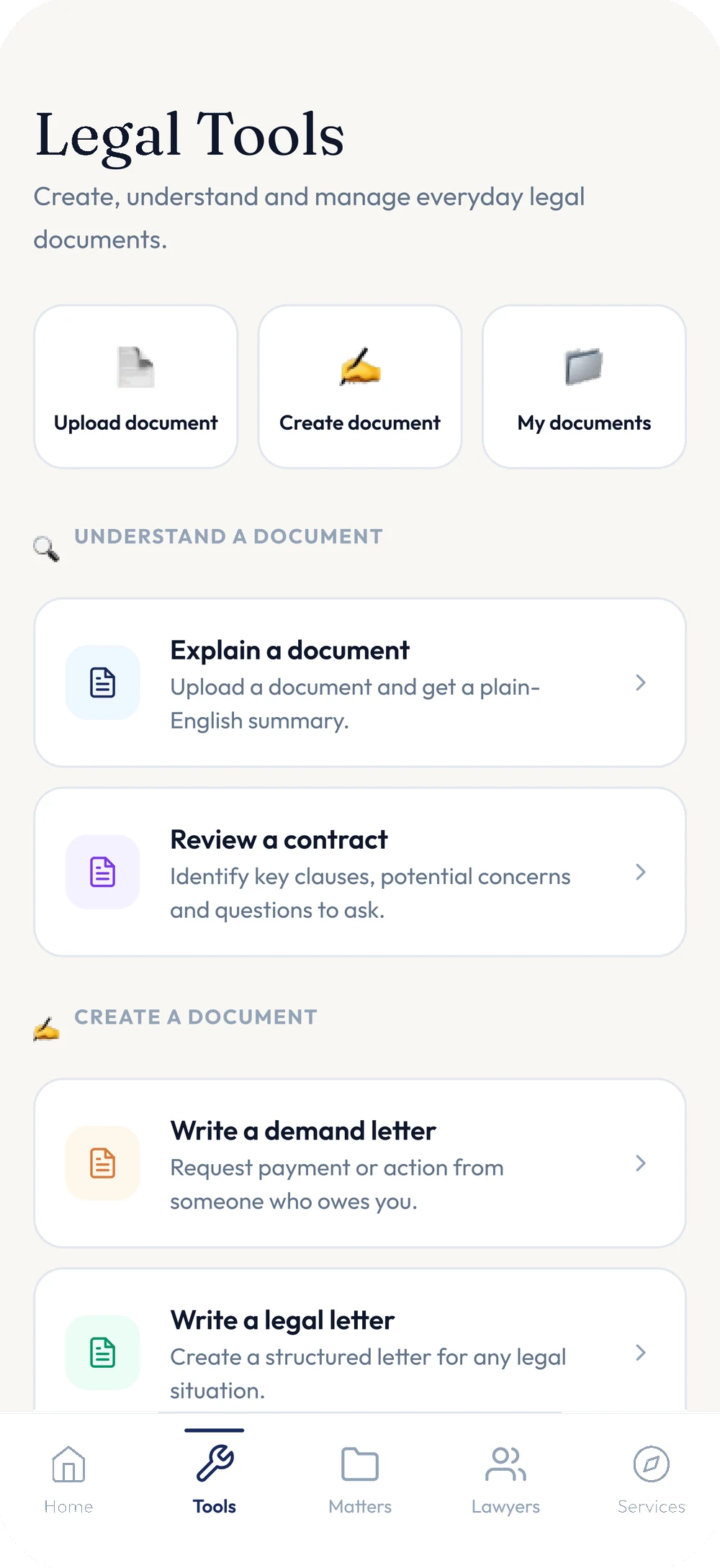
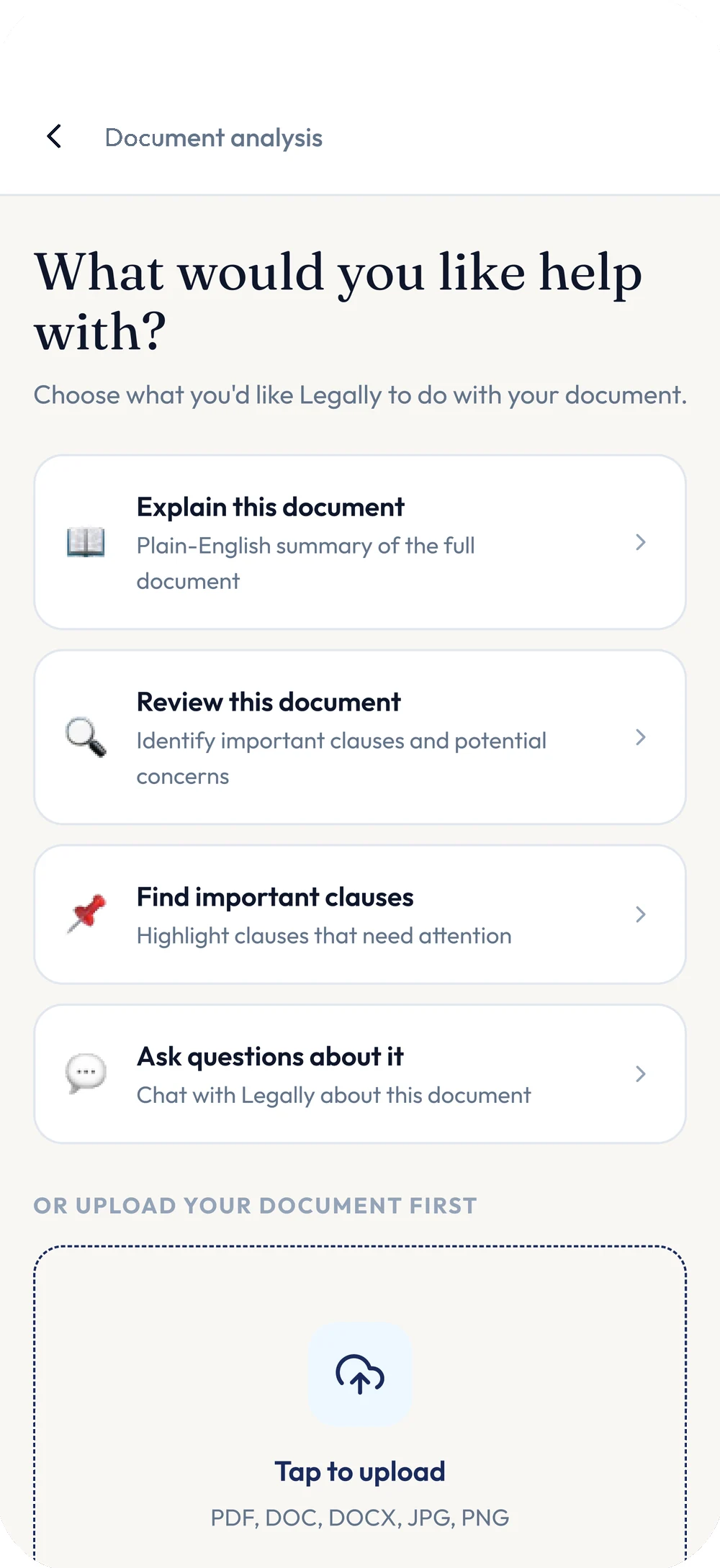
The Tools tab treats "I have a document" and "I need to write one" as the same kind of task. Upload something and Legally can explain it in plain English, review it for clauses that need attention, or just answer questions about it — one screen offers all three, plus a fourth, open-ended option.
Creating a document works the other way round: pick what you need — a demand letter, a legal letter — and the questions come one at a time.
Four short questions. Nothing asked twice.
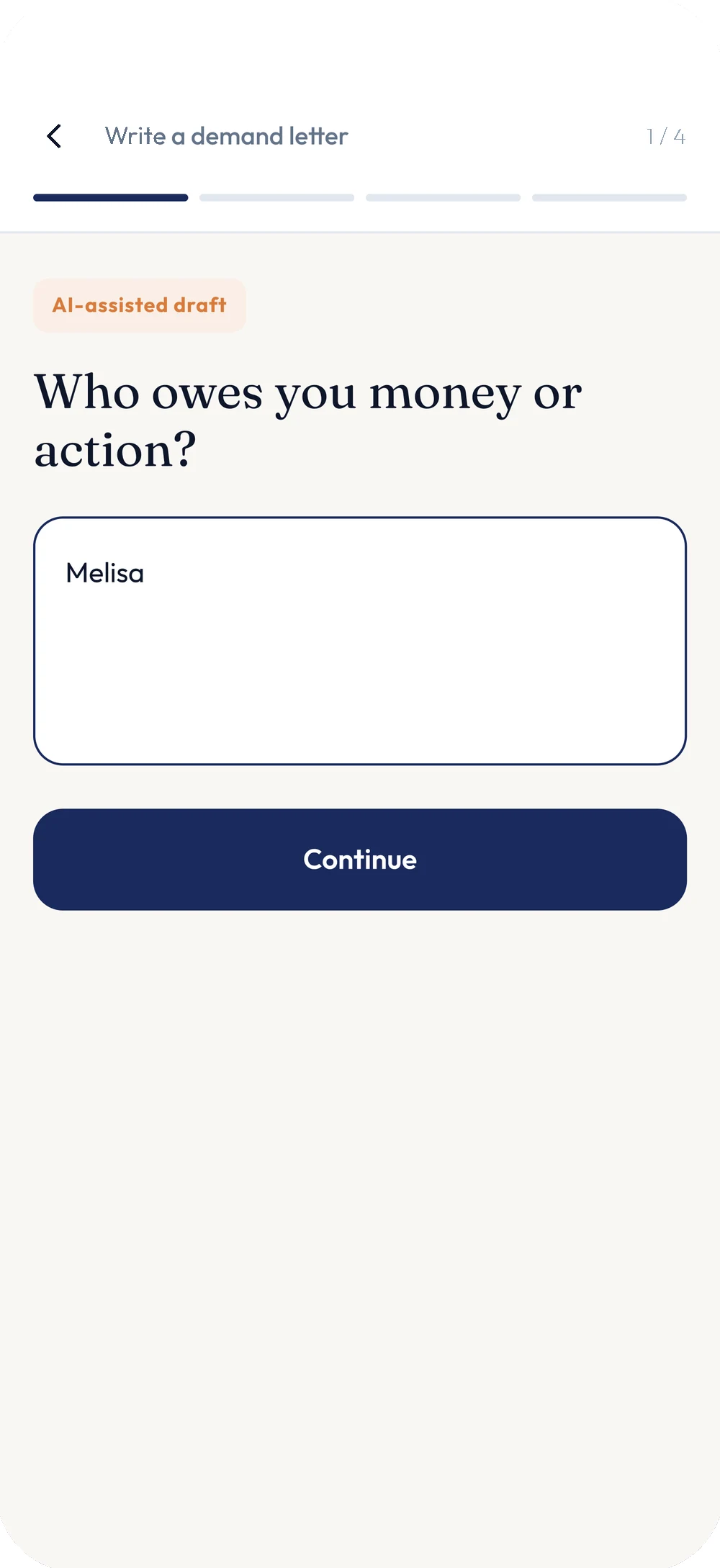
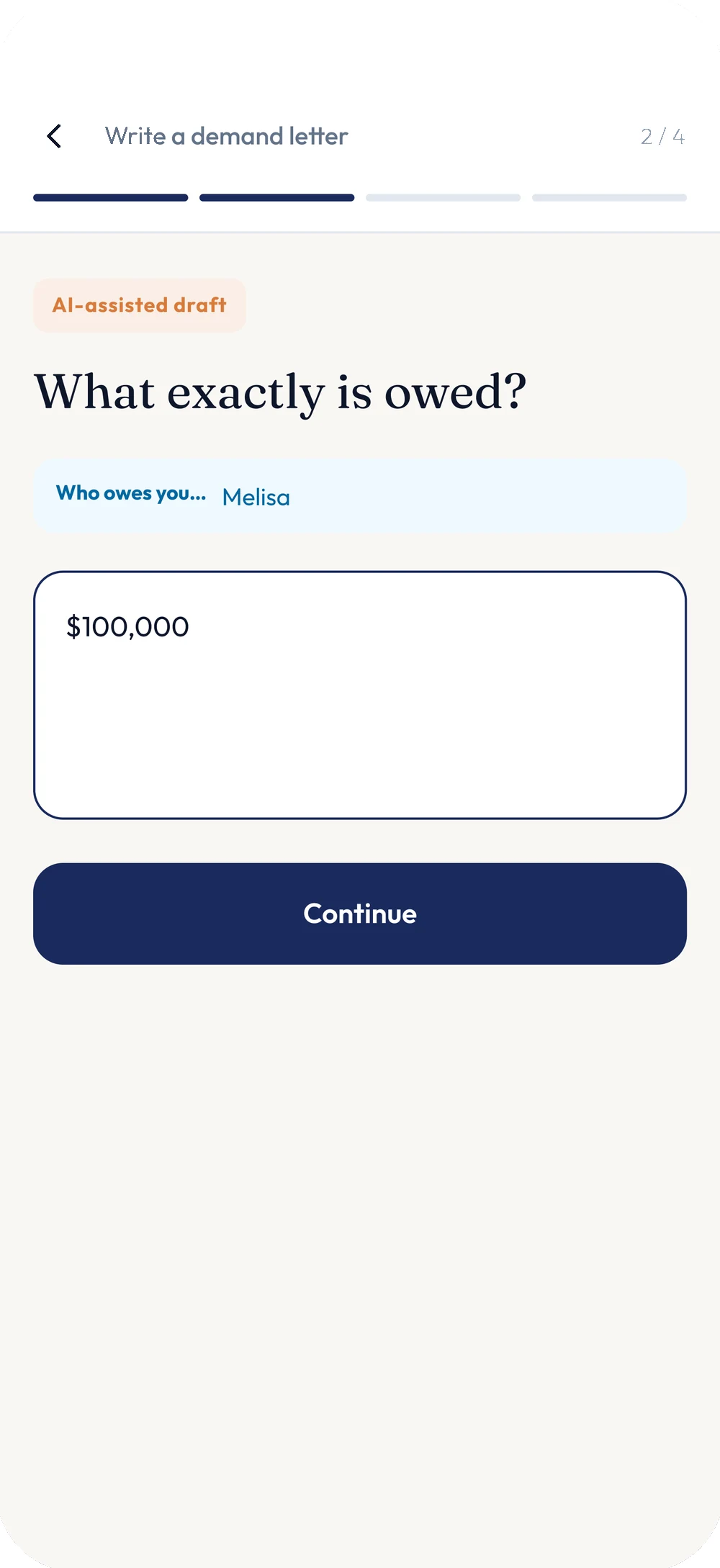
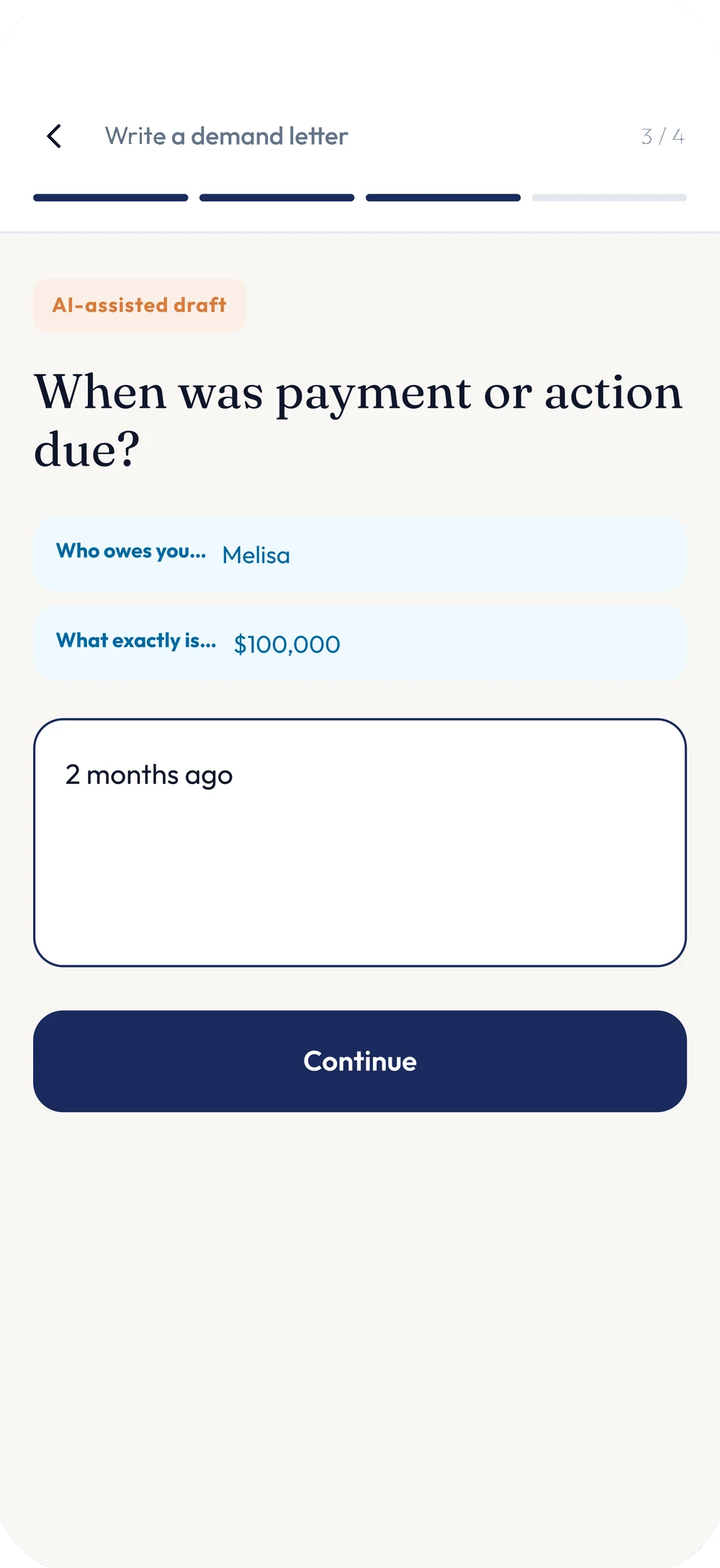
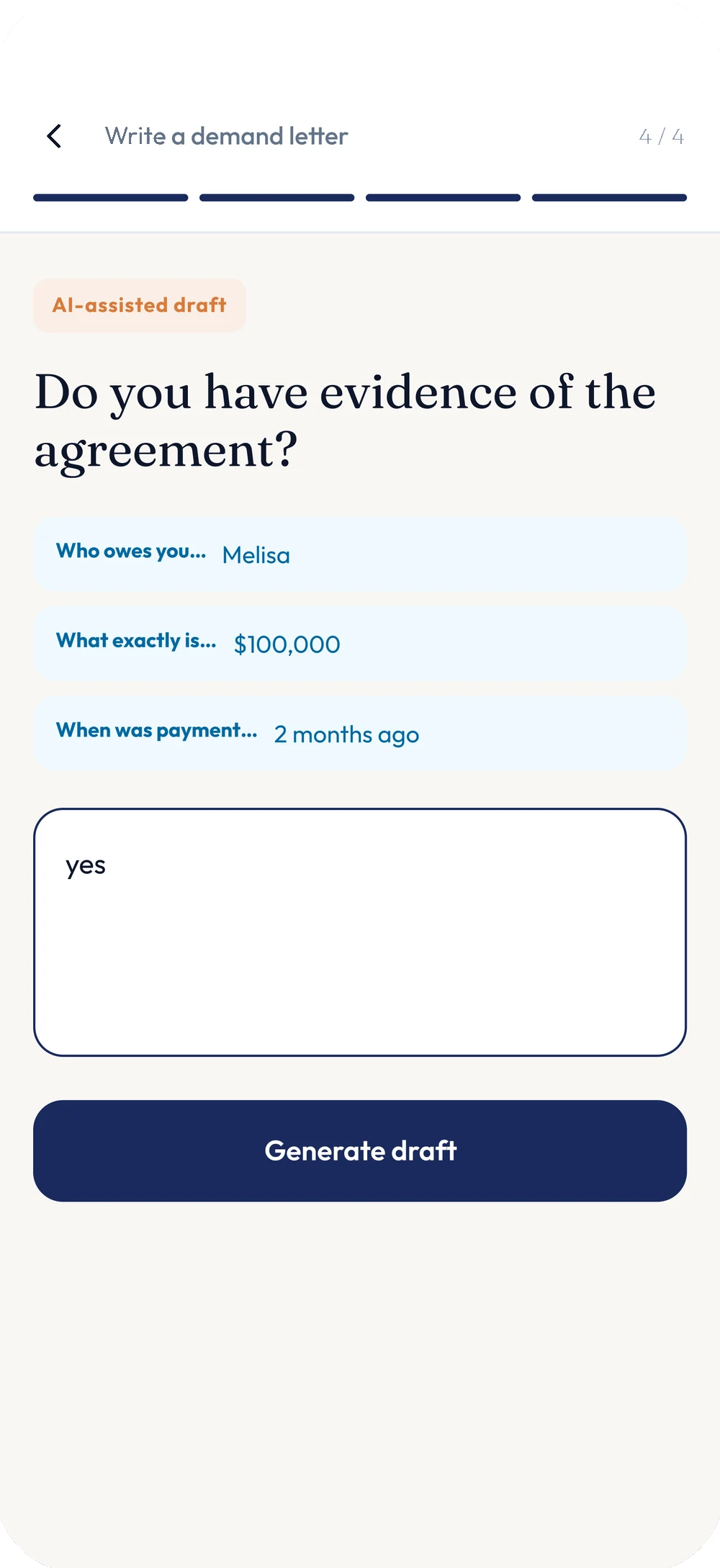
Writing a demand letter is four questions, not a blank page: who owes what, what exactly is owed, when it was due, and whether there’s evidence of the agreement. Every step recaps what’s already been answered as a small chip above the next question, so the form never feels like it forgot what you just told it.
Every draft carries an "AI-assisted" badge — on the wizard and on the finished letter — and it’s never presented as anything else.
A draft becomes a filed matter, not a lost download.
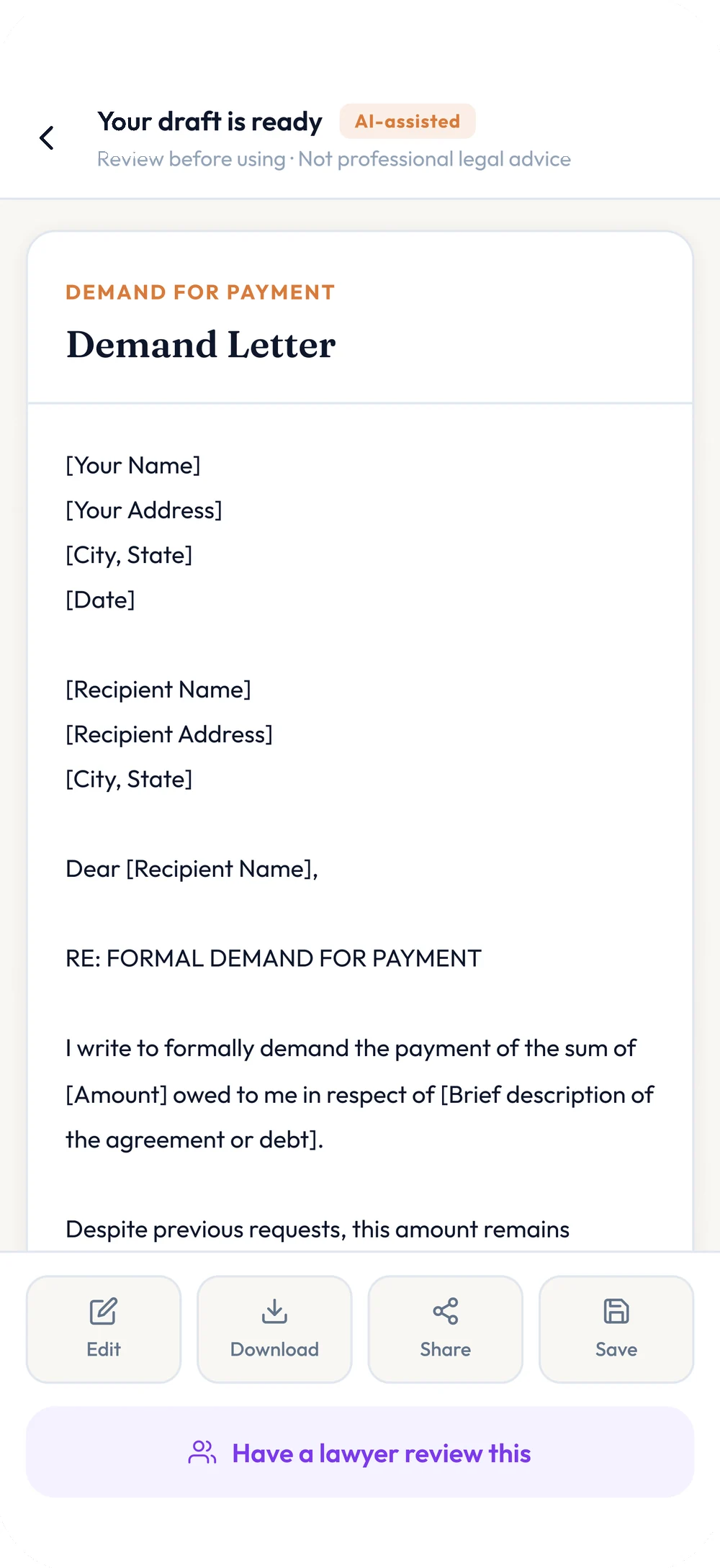
The finished letter arrives with "review before using — not professional legal advice" stated plainly above it, Edit, Download, Share and Save actions, and one more option: "Have a lawyer review this" — the bridge from a free AI draft to a real professional, offered at the exact moment it’s most useful.
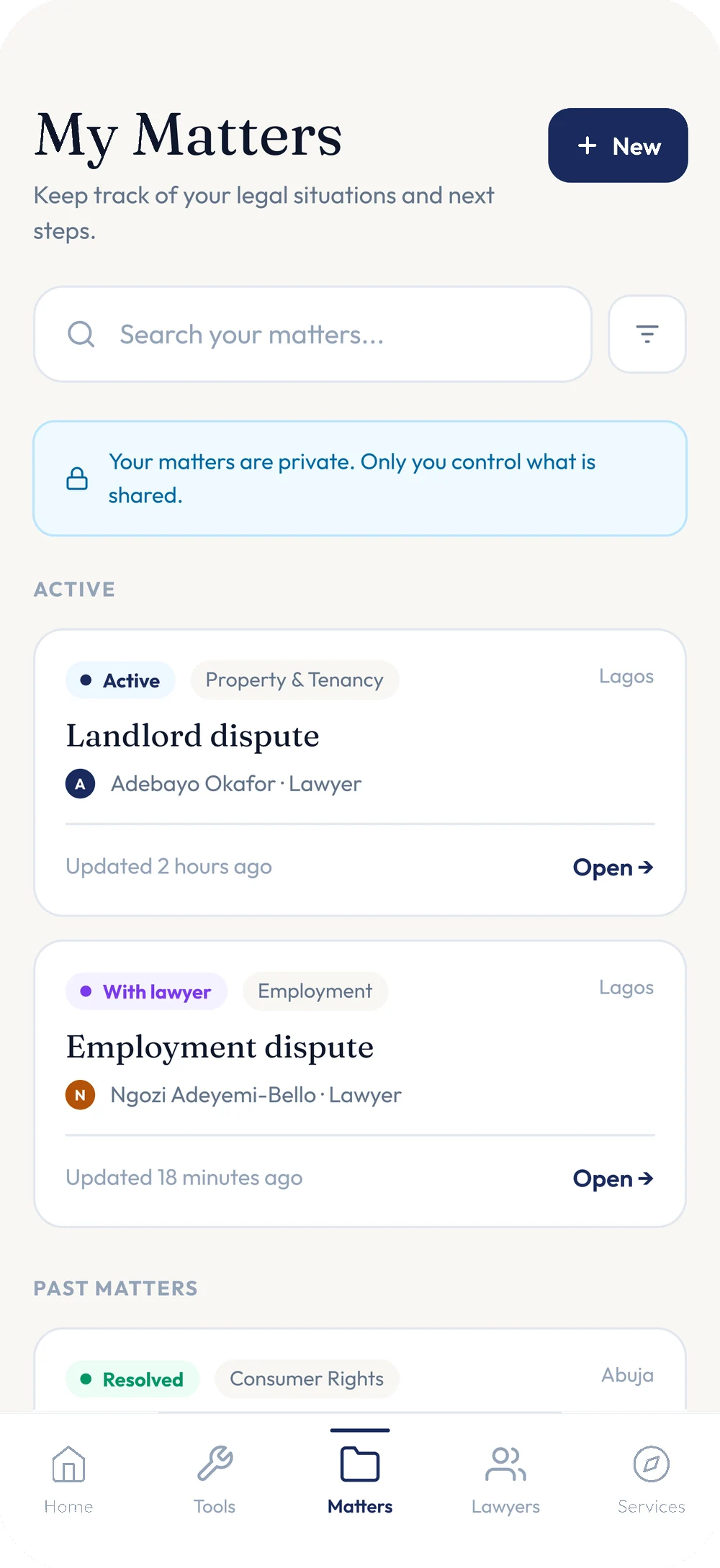
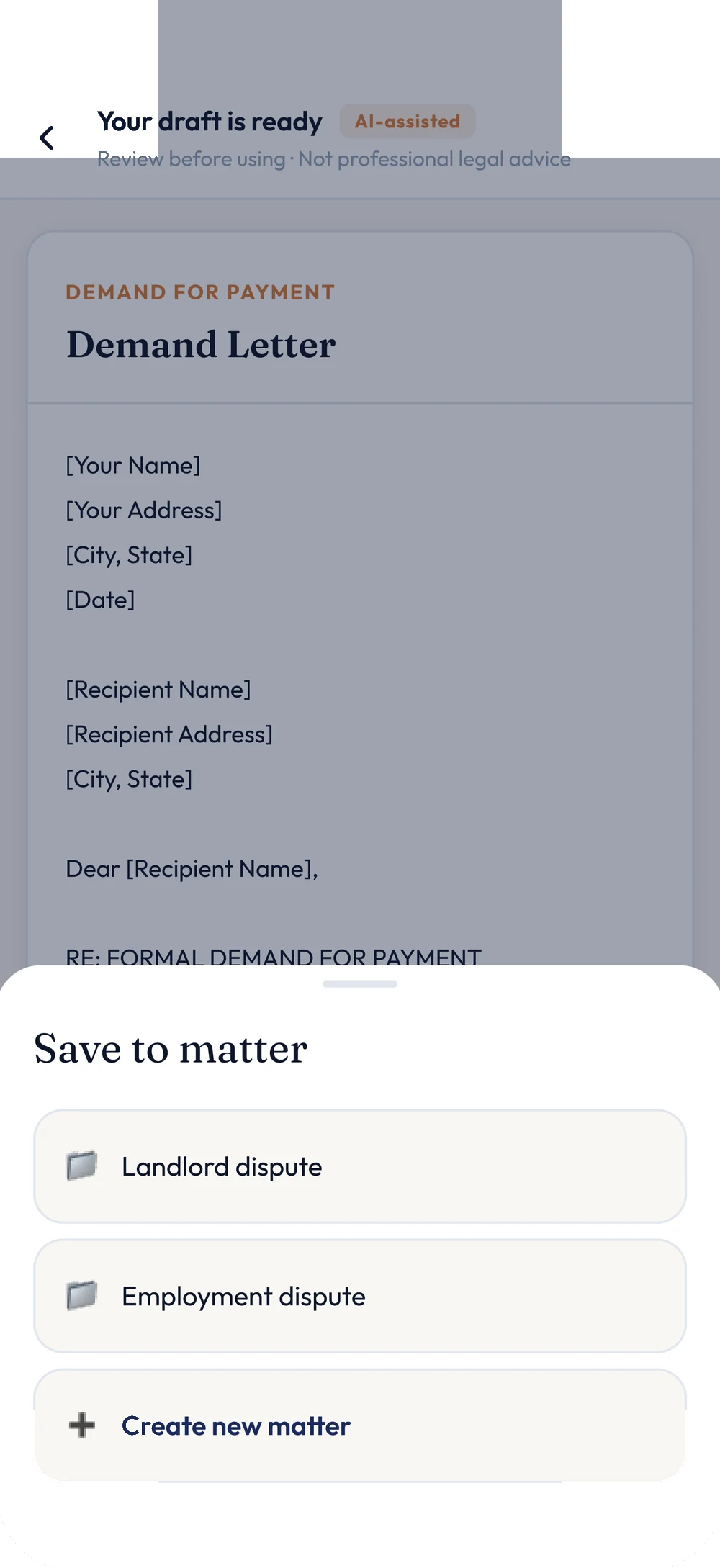
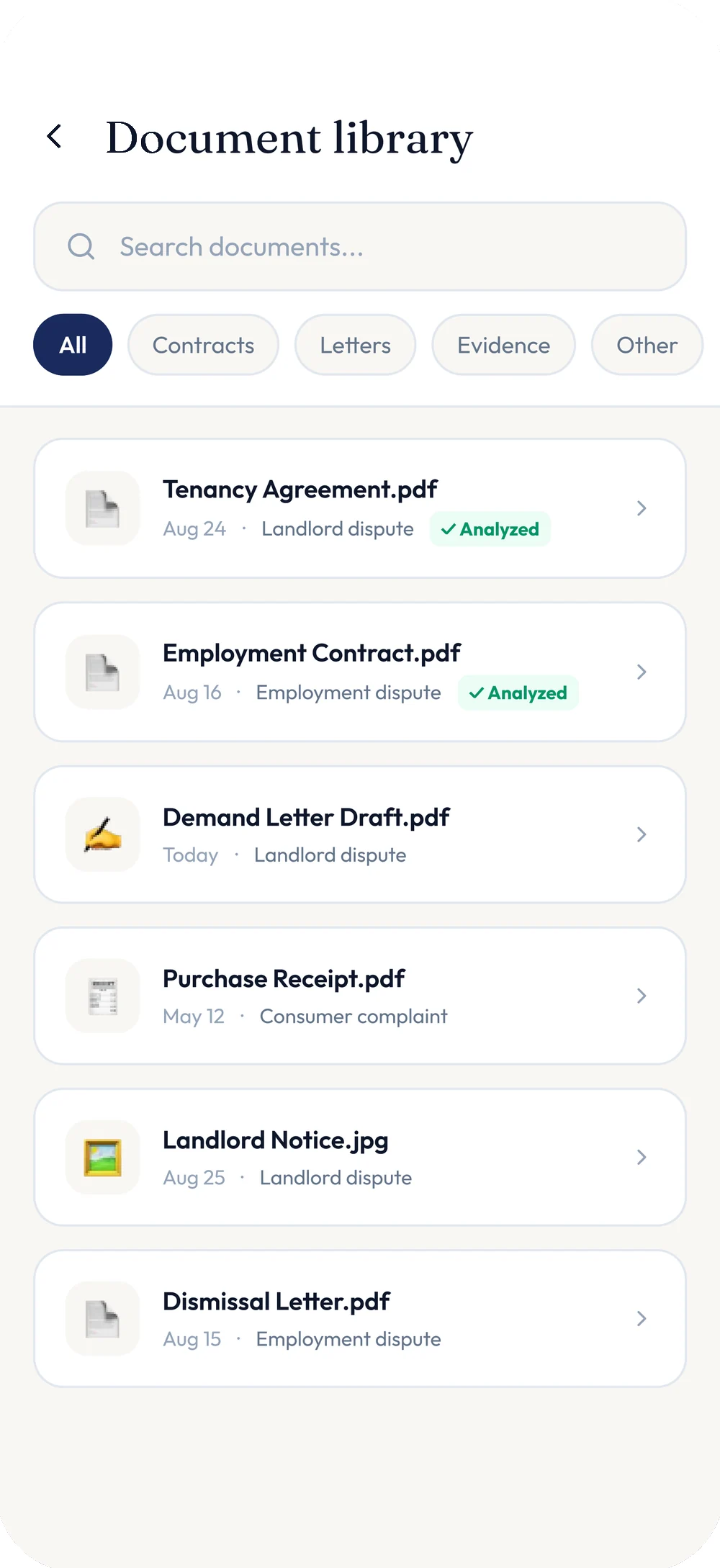
Saving it asks which matter it belongs to — Landlord dispute, Employment dispute, or a new one — and from there it lives in both the document library and My Matters, tagged, searchable and marked private by default.
A matched lawyer, or free legal aid — whichever the moment needs.
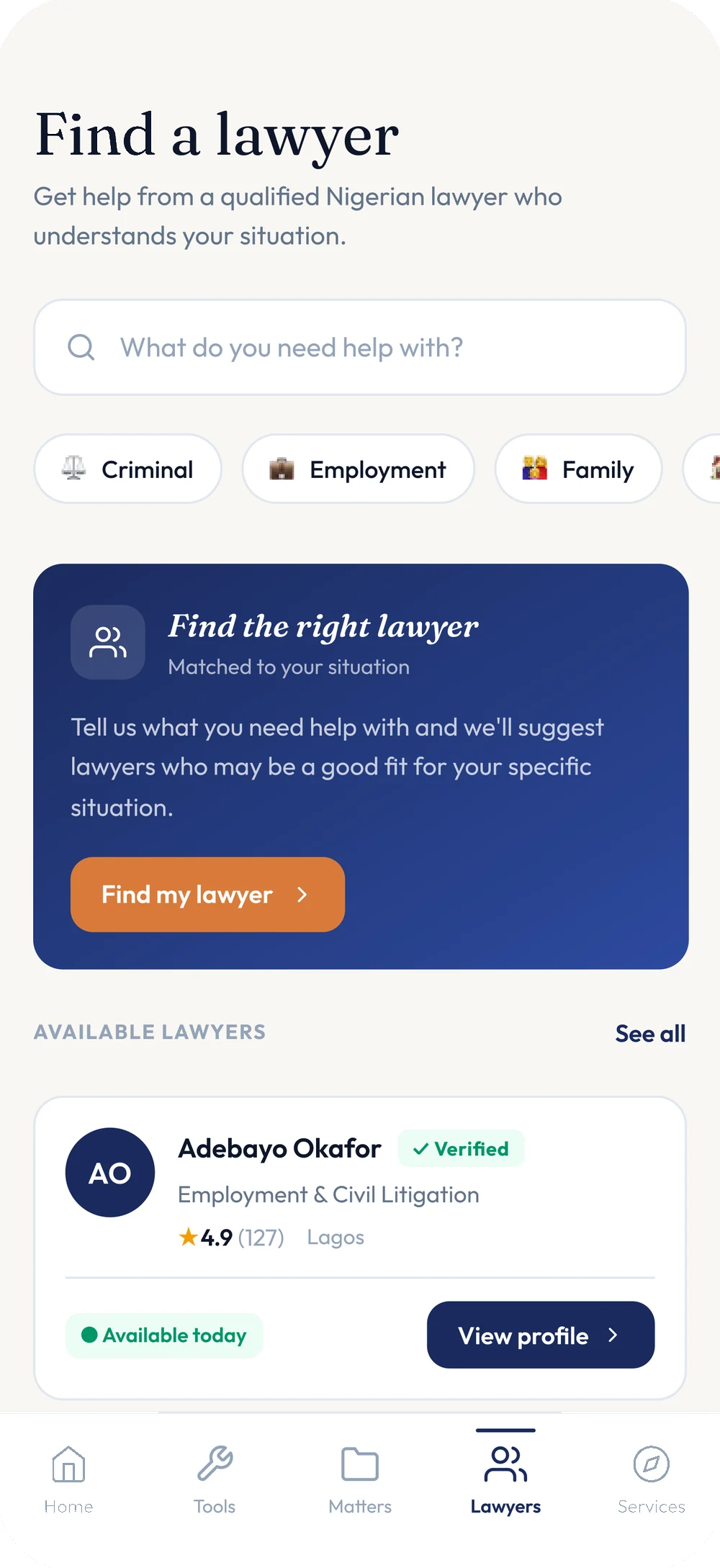
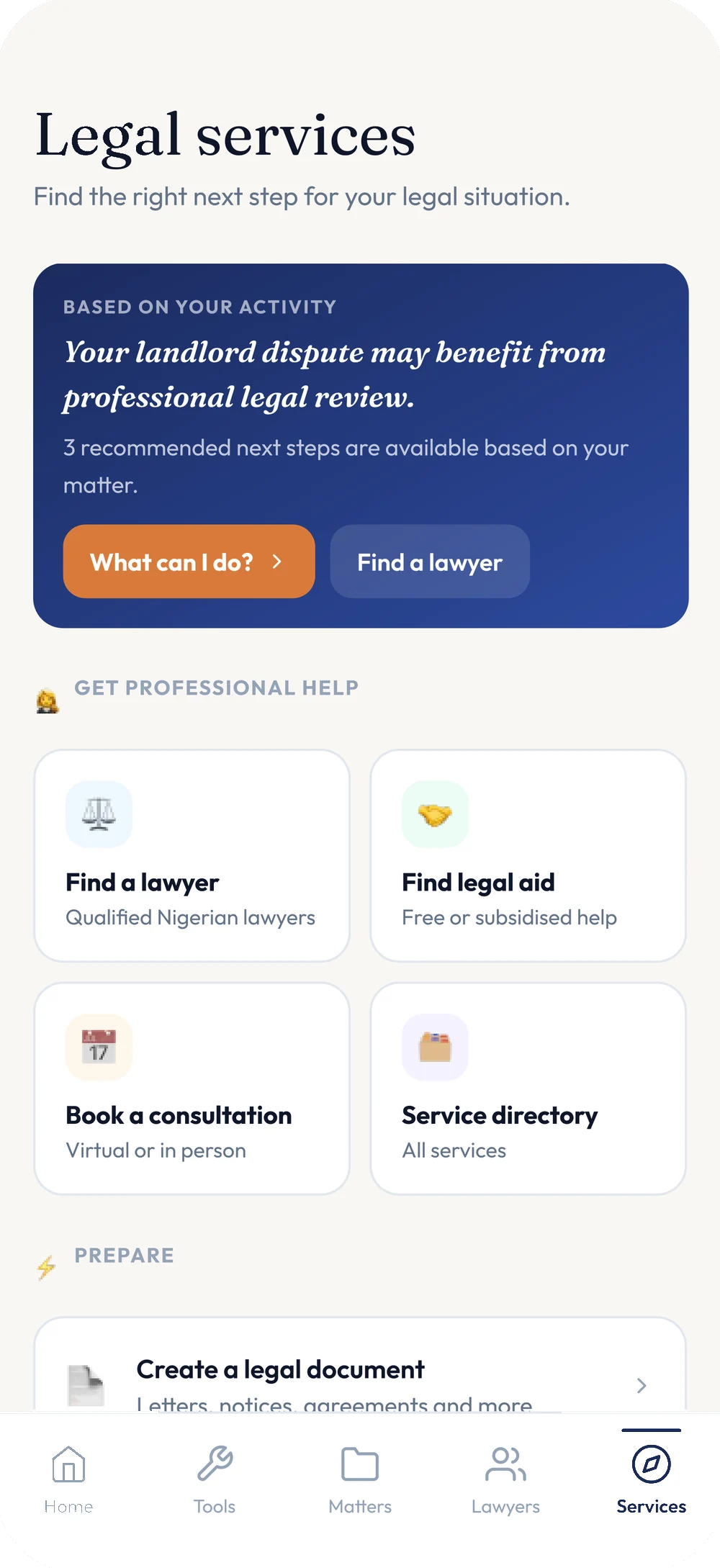
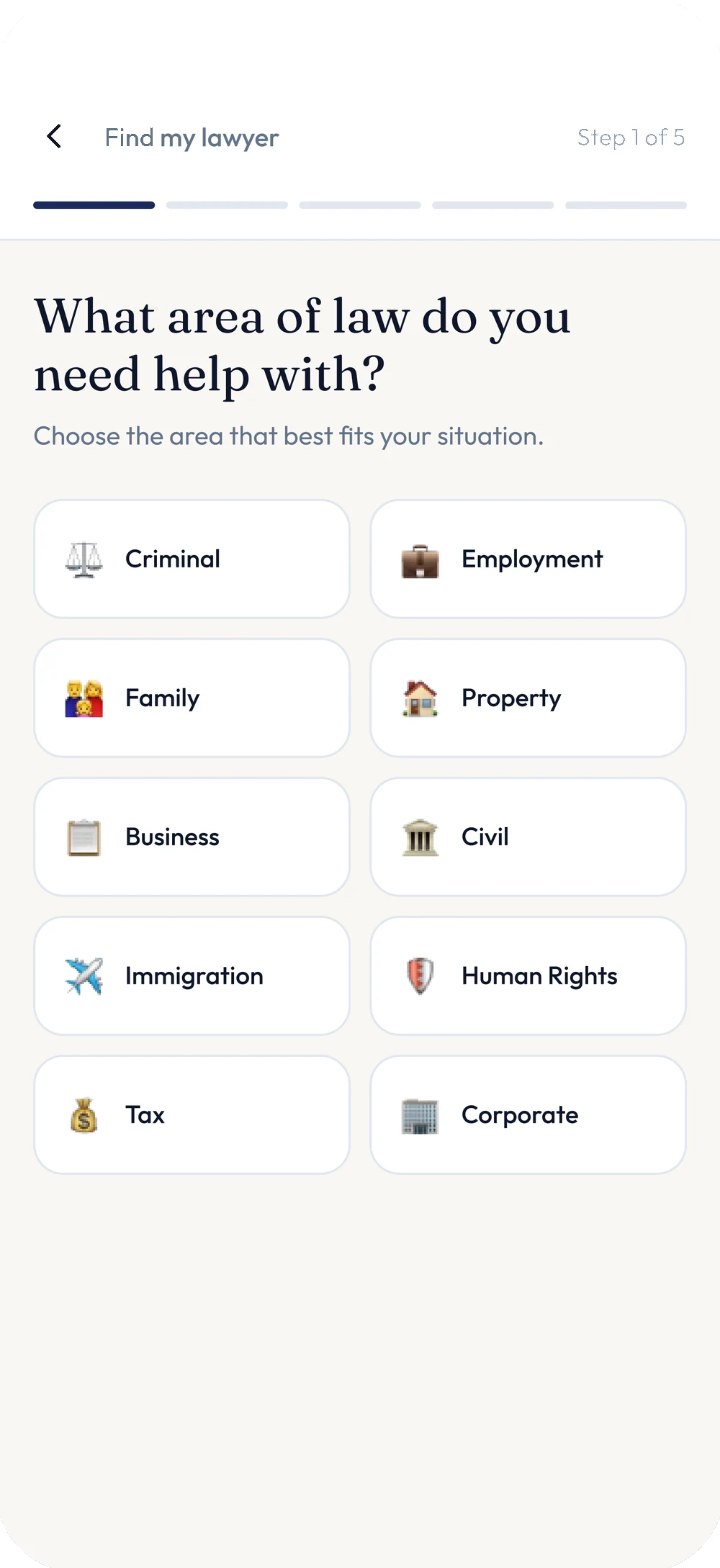
When a matter needs more than the app can give, Legally says so directly: "Your landlord dispute may benefit from professional legal review." From there it’s a search, or a five-step matching flow starting with the area of law, ending in verified lawyers with ratings, specialties and real availability.
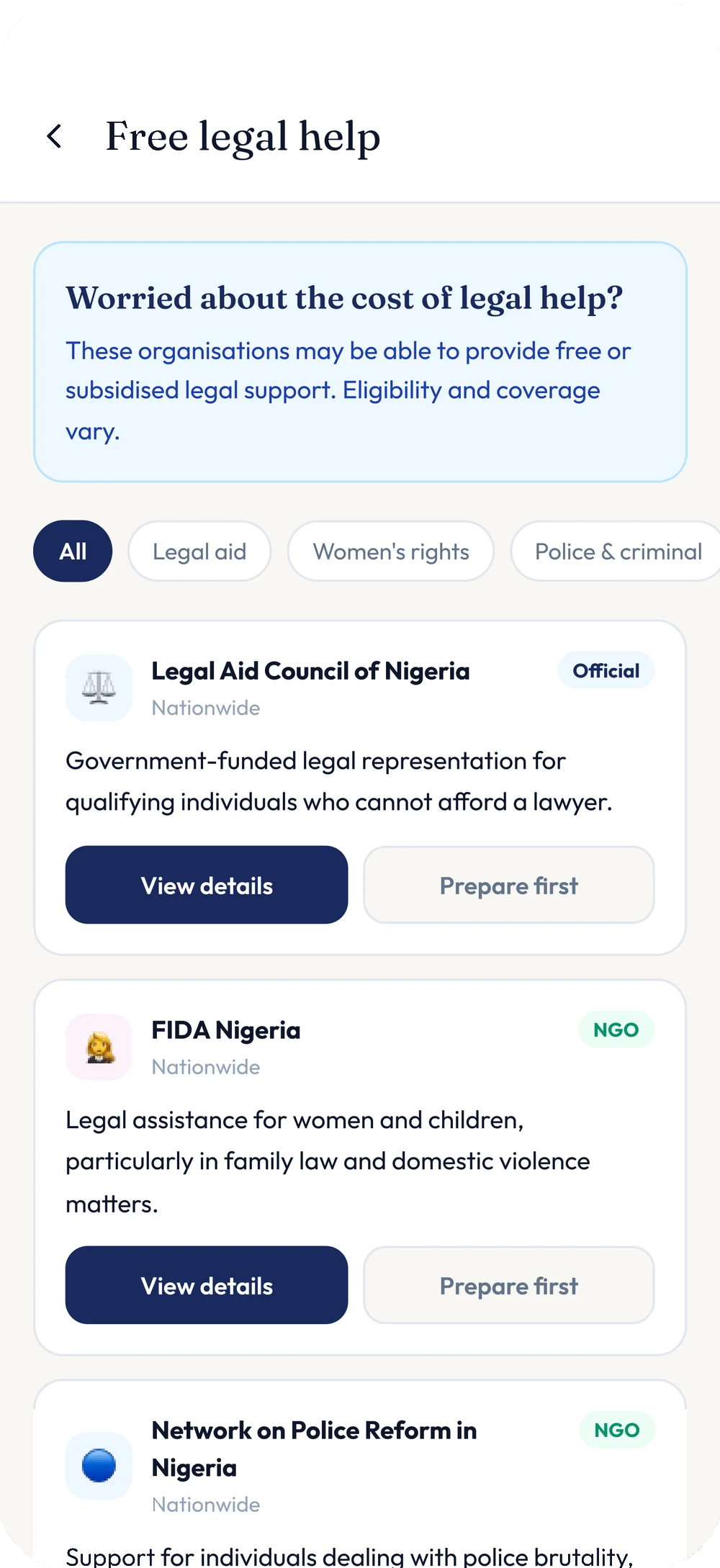
And when the barrier is cost, not complexity, the same door leads to legal aid — the Legal Aid Council of Nigeria, FIDA Nigeria, the Network on Police Reform in Nigeria — official and NGO organisations, filtered by category, with "eligibility and coverage vary" stated upfront rather than buried.
Not a deck. A product you can open.
Product design system
Colour, type, spacing and components, defined once and used from onboarding through to legal aid.
Onboarding
Three short steps — name, state, areas of interest — each one personalising what follows.
Conversational intake
The "What happened?" home screen, example prompts, and the reasoning trail behind every answer.
Legal tools
Document upload, explanation and review, plus guided drafting for demand and legal letters.
My Matters
A private, per-dispute record with status, assigned lawyer and document history.
Document library
Search, filter and status across every uploaded and generated file.
Lawyer marketplace
Search, AI matching, verified profiles and real availability.
Legal aid directory
Free and subsidised organisations, filtered by category, for when a lawyer’s fee is the barrier.
Five decisions, in order.
- 01
Start from the sentence, not the form
Before any screen, we asked what a person actually types when something has gone wrong, and designed the home screen around that sentence rather than a legal-intake form.
- 02
Separate the answer from the law
We treated "what does the law say" as two different pieces of information — a fast, honest read and the citation behind it — and gave each its own visual treatment, never one blended paragraph.
- 03
Design the system once
One palette, one type scale, one card, one badge language for anything AI-drafted — reused from onboarding through to legal aid so the app never stops feeling like itself.
- 04
Make the paperwork guided, not blank
Every document — a demand letter, a legal letter — is built from short, one-at-a-time questions with prior answers recapped, never a blank page and never asked twice.
- 05
Build the ladder to real help
Search and AI matching for paid lawyers, and a filtered directory of free and subsidised legal aid beside it, so a tight budget is never where the product stops helping.
The rules the product never broke.
Plain language first, citation second
A person gets a straight answer before they get a statute.
Show the source, every time
A legal claim without a citation and a link is just an opinion.
AI drafts, a person decides
Every generated letter carries an AI-assisted badge and a reminder to review before using it.
One open question, not an intake form
"What happened?" replaces a checklist; follow-ups arrive one at a time, only when they change the answer.
Private by default
Matters are explicitly marked private, with the user in control of what’s ever shared.
Local, not generic
State-specific statutes, a searchable list of Nigerian states, and a "Made for Nigeria" badge — not a one-size-fits-all legal encyclopedia.
A ladder, not a wall
Self-serve chat, guided documents, matched lawyers and free legal aid, so a tight budget is never a dead end.
Calm, editorial, human
Deep navy, warm cream and a considered serif — not a courtroom cliché or a generic chatbot.
Five stages. One conversation.
A complete legal companion, not a chatbot with a disclaimer.
Legally exists as a full mobile product: onboarding that personalises from the first screen, a conversational core that reasons in the open, guided tools for the documents people actually need, a private record of every matter, and a clear path to a real lawyer or free legal aid when that’s what the situation calls for.
It is the kind of thing that usually takes a legal-tech startup a year and a legal team to get right. It was designed and built by Creativnerd.
This is what a few days at Creativnerd looks like.
Legally is one of ours. If you have a product in your head that deserves the same treatment, that is the conversation we like having.
See more of our workGot one of your own?
Tell the Concierge what you're building. It will tell you what it would take, and roughly what it would cost — before you speak to anyone.